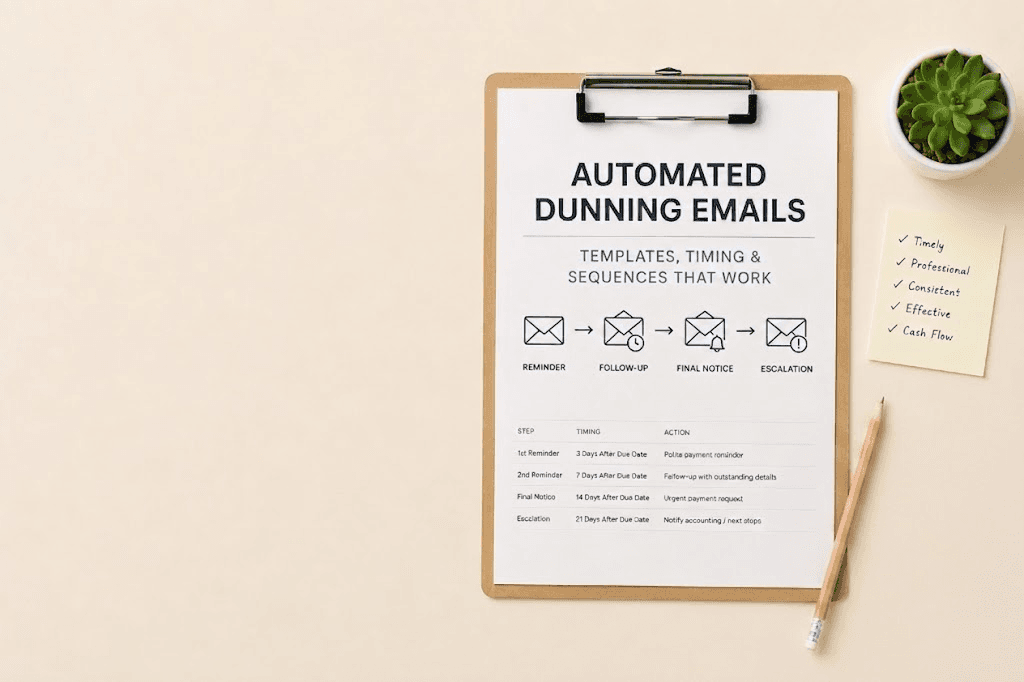
Order-to-Cash Automation: End-to-End Guide for SaaS Finance Teams

Order-to-cash is the full process that turns a signed contract into collected revenue. It starts the moment a customer agrees to buy and ends when the payment clears and the revenue is recognised. Everything in between — contract processing, invoicing, payment collection, AR management, reconciliation, and revenue recognition — is the order-to-cash cycle.
For most SaaS companies, large sections of this cycle are still manual. A deal closes in Salesforce, someone manually creates an invoice in QuickBooks, someone else tracks the payment in a spreadsheet, and month-end reconciliation is a full-day exercise. The longer this stays manual, the more it costs — in finance team time, in billing errors, and in delayed cash collection.
This guide covers what a fully automated O2C cycle looks like, which steps break most often when done manually, and what to look for in the software that handles it.
What is order-to-cash?
Order-to-cash (O2C) is the end-to-end business process that spans from a customer placing an order to the company receiving and reconciling payment. In B2B SaaS, the cycle typically covers six stages:
-
Order management: The contract is signed. The deal is recorded — pricing, payment terms, billing schedule, contract start and end date.
-
Invoice generation: An invoice is created based on the contract terms and sent to the customer's billing contact.
-
Payment collection: The customer pays. The payment is processed via the agreed method — card, ACH, bank transfer, or invoice.
-
Accounts receivable management: Outstanding invoices are tracked. Overdue invoices are followed up on. Failed payments are recovered.
-
Cash application: Incoming payments are matched to the invoices they settle and applied to the AR ledger.
-
Revenue recognition: Revenue is recognised according to the contract terms and accounting standards (ASC 606 / IFRS 15).
In a healthy O2C cycle, these six stages connect seamlessly — data flows from one to the next without manual re-entry, and the finance team has a live view of where every contract stands at any point in the cycle.
Why O2C matters beyond the finance team A slow or broken O2C cycle is not just a finance problem. It delays cash collection, which affects runway. It creates invoicing errors, which damages customer trust. It produces unreliable revenue recognition, which affects financial reporting. For VC-backed SaaS companies, investors track DSO and net revenue retention directly — both are downstream consequences of O2C quality.
Where the O2C cycle breaks — the five most common failure points
Most SaaS companies break in predictable places. Here are the five failure points that show up most consistently:
-
Contract-to-invoice gap: A deal closes in the CRM. Somewhere between Salesforce and QuickBooks, an invoice has to be created manually. This step introduces delays (invoices go out days or weeks after the contract is signed), errors (wrong amounts, wrong billing contacts, wrong payment terms), and dependency on a specific person who knows how to do it. For companies doing more than 50 deals per month, this single gap consumes significant finance team time.
-
Payment failure blindspot: Failed payments — card declines, ACH returns — are often discovered by the finance team when they next review the AR report, which may be 24-48 hours after the failure. By then, the optimal recovery window has passed. Every hour between a payment failure and the first recovery contact reduces the probability of collection.
-
Cash application lag: Incoming bank transfers and ACH payments arrive in the bank account without automatically matching to an invoice. Someone has to reconcile them manually — matching payment references, amounts, and customer identifiers to open invoices. At low volume this is manageable. At high volume it becomes a significant month-end bottleneck.
-
Revenue recognition manual entries: ASC 606 requires revenue to be recognised when performance obligations are satisfied — not when cash is received. For SaaS contracts with annual prepayment, this means recognising revenue monthly even though the cash arrived on day one. Manual journal entries for each contract, each month, is a high-error process that scales badly.
-
Month-end close dependency: Because manual O2C processes accumulate errors throughout the month, month-end close becomes a correction exercise rather than a reporting exercise. The finance team reconciles what was billed against what was collected against what was recognised — often finding discrepancies that take hours to trace.
What a fully automated O2C cycle looks like
Here is what each stage looks like when the O2C cycle is fully automated. The benchmark is a B2B SaaS company doing $3M ARR with 150 active customer contracts across a mix of monthly, quarterly, and annual billing:
| O2C stage | Automated version |
|---|---|
| Order management | Contract is signed in DocuSign. Contract terms sync to the billing system automatically via CRM integration. Pricing, billing schedule, payment terms, and contract start date are pulled from the deal record. No manual data entry. |
| Invoice generation | On the billing trigger date, the system generates an invoice from the contract terms. Line items, amounts, tax, and payment instructions are populated automatically. Invoice is sent to the billing contact on file. Delivery is confirmed. If unacknowledged within 48 hours, a follow-up goes to the secondary contact. |
| Payment collection | Stripe or ACH processes the payment on the due date. If the payment fails, the system detects it immediately and starts a recovery sequence — not the next morning. The recovery sequence adjusts per customer based on payment history. |
| AR management | Every open invoice is monitored continuously. Overdue invoices trigger automated follow-up sequences. The AR dashboard shows live ageing — not last week's export. Cases that the automated sequence cannot resolve surface to the finance team with full context. |
| Cash application | Incoming payments are matched to open invoices automatically using payment references, amounts, and customer identifiers. Unmatched payments — edge cases — surface for manual review with the most likely match suggested. Month-end cash application takes minutes, not hours. |
| Revenue recognition | The system calculates recognised revenue for each contract for each period based on the contract terms. For a $12,000 annual contract, $1,000 is recognised per month automatically. Journal entries post to the GL without manual input. Deferred revenue schedules update in real time. |
The outcome: a finance team member can see the status of every contract — invoice sent, payment received, revenue recognised — in a single dashboard without exporting anything or reconciling anything manually. Month-end close is a review, not a rebuild.
O2C automation vs billing automation — what's the difference?
Billing automation and O2C automation are related but not the same. Billing automation covers the invoice generation and payment collection steps. O2C automation covers the full cycle — including the contract-to-invoice handoff at the front end and the cash application and revenue recognition at the back end.
A company that has billing automation but not full O2C automation typically still has manual steps at the contract ingestion stage (someone sets up the billing schedule from the contract) and the revenue recognition stage (someone posts the monthly recognition entries). These two manual steps are where the most significant time and error costs accumulate at scale.
The distinction matters when evaluating software. Ask any vendor specifically: does your system ingest contract terms from a CRM automatically? Does it handle ASC 606 revenue recognition without manual journal entries? These are the two steps that most billing tools do not cover.
What to look for in O2C automation software
Five things separate an O2C platform from a billing tool with a broader label:
-
CRM integration that reads contract terms: The system should pull pricing, billing schedule, and payment terms from your CRM deal record without manual re-entry. If someone has to configure the billing schedule in the billing system separately after the deal closes, you have not automated the contract-to-invoice handoff.
-
Real-time payment failure detection: Failed payments should trigger recovery actions within minutes, not the next morning. Ask vendors: 'How quickly does your system detect a payment failure and queue the first recovery action?' The answer should be minutes.
-
Automated cash application: Incoming payments should match to invoices automatically. The system should handle the common cases (bank transfers with payment references, card payments via Stripe) without human involvement, and surface only the genuinely ambiguous cases for manual review.
-
ASC 606-compliant revenue recognition: The system should read contract terms and post recognition entries automatically for each period without manual journal entries. This includes handling multi-element arrangements, variable consideration, and contract modifications.
-
Live O2C reporting without exports: DSO, collection rate, revenue recognised vs deferred, ageing by bucket — these should be available in a live dashboard. If the finance team needs to export data and build a spreadsheet to see O2C metrics, the reporting problem has not been solved.
How JustPaid handles the O2C cycle
JustPaid covers the full O2C cycle from invoice generation to revenue recognition. Here is what each stage looks like in the product:
-
Contract-to-invoice: JustPaid integrates with Salesforce and HubSpot to pull contract terms directly from closed deals. When a deal closes, the billing schedule is configured automatically from the CRM data. The first invoice generates on the scheduled date without a human setting it up.
-
Invoice delivery and AR management: Invoices are delivered and tracked. Delivery confirmation is logged. Overdue invoices trigger automated follow-up sequences with timing and tone adjusted per customer based on payment history. Cases that the sequence cannot resolve surface to the finance team with full context.
-
Payment collection and failure recovery: Payment failures are detected immediately. The recovery sequence starts within minutes. Unlike tools that run fixed retry schedules, JustPaid adjusts the recovery timing based on each customer's payment history — recovering more payments in less time.
-
Cash application: Incoming payments are matched to open invoices automatically. The AR balance updates in real time. Month-end cash application is a review of a matched report rather than a manual reconciliation exercise.
-
Revenue recognition: JustPaid calculates recognised revenue for each contract per ASC 606 standards and posts journal entries to your GL automatically. Deferred revenue schedules update as each period closes. The month-end recognition close takes minutes.
Frequently asked questions
Get Started with JustPaid
Automate invoicing, streamline accounts receivable, and accelerate revenue with JustPaid. Compare JustPaid pricing plans or book a walkthrough.